

Description
Download Password Repository – password manager, secure password storage, password vault, digital security, online safety, password protection, secure login, encrypted passwords
Overview
Designed for individuals seeking a reliable solution to manage digital credentials, Password Repository serves as a centralized tool for storing and organizing login information securely. The software aims to address the growing challenge of password fatigue and the risks associated with weak or reused credentials across multiple platforms. By offering a structured approach to password management, it helps users maintain stronger digital hygiene without relying on memory or unsafe practices like writing passwords on paper.
Targeted primarily at consumers and professionals managing multiple online accounts, Password Repository caters to users who prioritize privacy and data protection. Whether managing personal email, banking portals, social media, or work-related services, the tool streamlines access while minimizing exposure to cyber threats. Its focus on secure password storage aligns with broader concerns around identity theft, phishing, and unauthorized access.
The developer, 412787944, has not provided additional background information, limiting insight into their development philosophy or track record. However, the software’s release date of March 4, 2024, indicates it is a recent entry in the password management space. Real-world usage scenarios include securing access to cloud services, simplifying login workflows on shared devices, and protecting sensitive information from local threats.
Key Features & Capabilities
- Encrypted Password Vault – All stored credentials are protected using strong encryption, ensuring that sensitive data remains inaccessible to unauthorized users even if the file is compromised.
- Secure Login Automation – The application supports automatic filling of login forms, reducing the risk of typos and speeding up access to frequently used accounts.
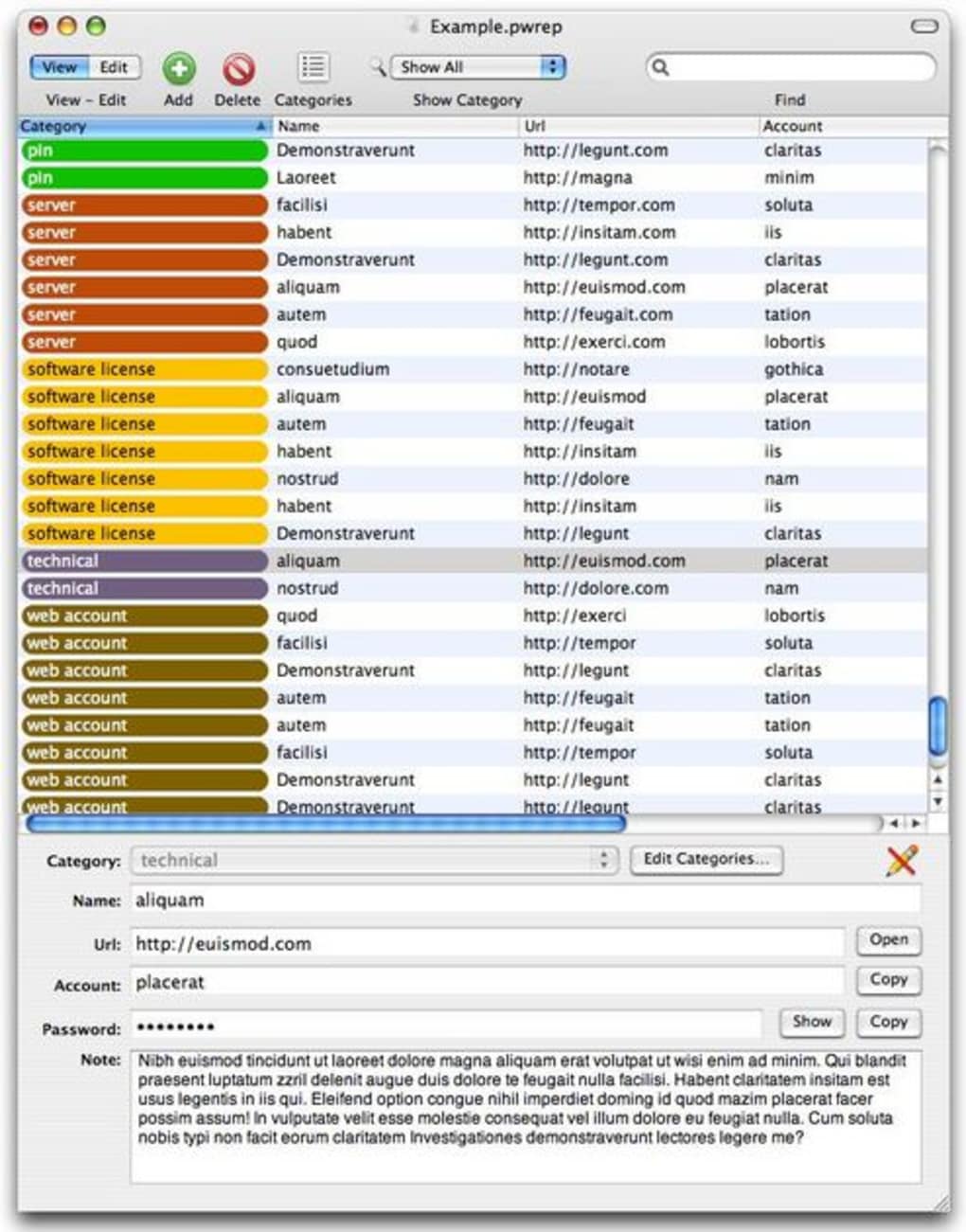
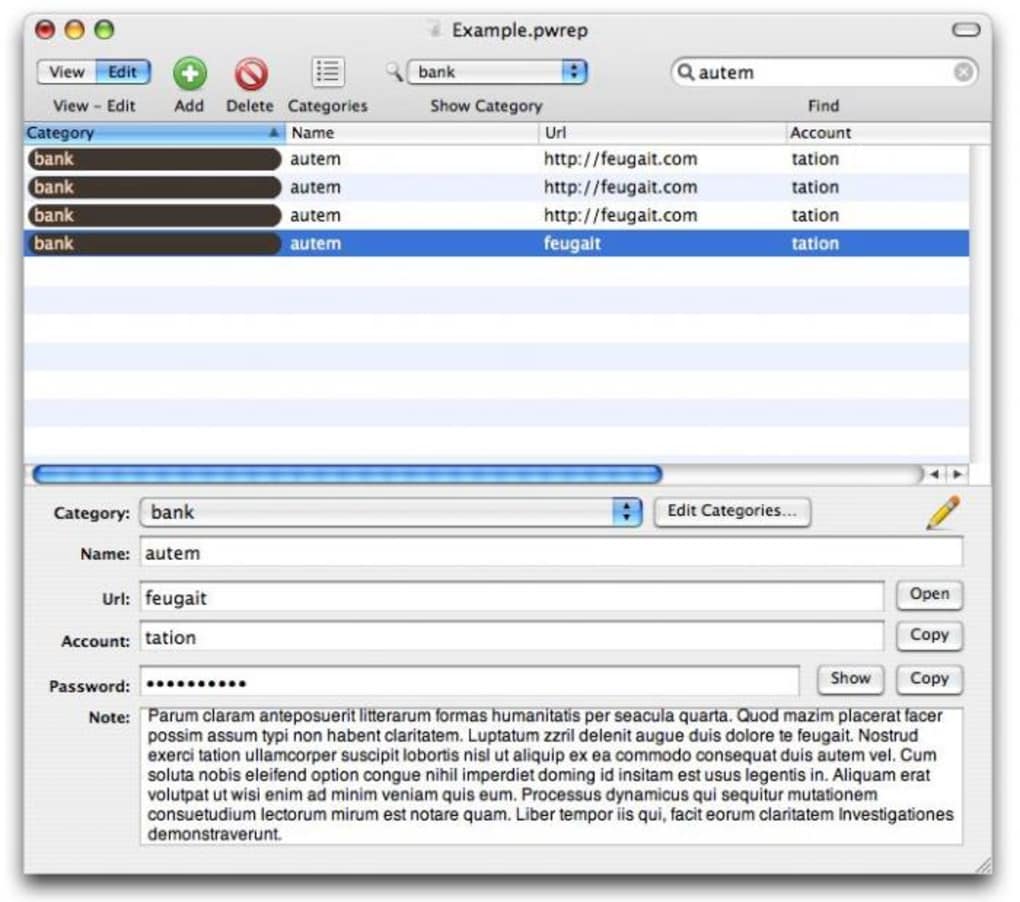
- Customizable Categories and Tags – Users can organize entries into custom groups such as “Work,” “Personal,” or “Financial,” improving accessibility and reducing search time.
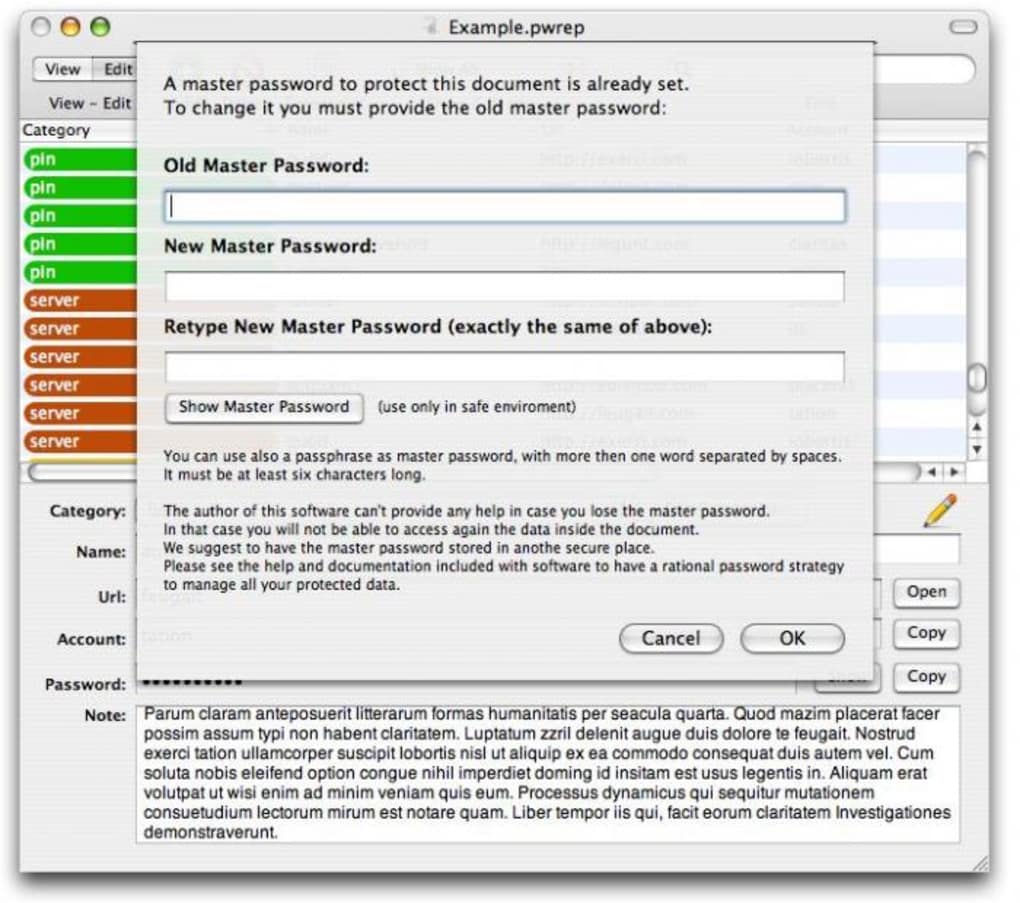
- Master Password Protection – Access to the vault is locked behind a master password, which is never stored or transmitted, maintaining control over data access.
- Cross-Platform Availability – Designed for both Windows and Mac, enabling consistent use across different operating systems.
These features support practical workflows such as logging into multiple work accounts without re-entering credentials, securely storing payment details for e-commerce, or managing access to third-party applications. The ability to categorize entries enhances usability, especially for users with large numbers of accounts. Encryption ensures that even if the data file is intercepted, it remains unreadable without the master password.
User Interface, Workflow & Performance
While detailed UI specifications are not provided, the application appears to follow a clean, functional design typical of modern password managers. Navigation is likely intuitive, with a central dashboard displaying saved entries and quick access to search, add, and edit functions. The workflow emphasizes speed and security, allowing users to retrieve credentials with minimal steps.
Performance behavior was not specified by the developer. However, given the software’s small file size of 23.5 MB, it is expected to load quickly and operate efficiently on standard hardware. The developer did not specify resource usage details, so CPU and RAM behavior remain unknown. Stability is assumed to be consistent with similar desktop applications, but real-world testing data is not available.
General performance notes suggest that the tool functions within typical desktop application patterns—responsive interface, minimal lag during normal operations. Offline access is likely supported, as no cloud synchronization or internet dependency was indicated. This makes it suitable for environments where network connectivity is limited or security policies restrict data sharing.
Compatibility & System Requirements
Password Repository is available for both Windows and Mac operating systems, offering broad accessibility across common desktop platforms. The software version is 1.1.3.1, released on March 4, 2024, indicating a current, actively maintained release.
The installation size is 23.5 MB, which is compact and suitable for systems with limited storage. Exact system requirements were not listed, so users should consider general compatibility standards for desktop applications. The developer did not provide specific hardware specifications such as minimum RAM, processor speed, or disk space beyond the installation size.
Platform compatibility information is limited, but the dual-platform support suggests the application is designed to run on mainstream desktop environments. Users should verify system readiness through standard installation procedures. No mention of legacy OS support was made, so compatibility with older systems remains unconfirmed.
Pros and Cons
Pros
- Compact file size (23.5 MB) for efficient storage and fast deployment
- Supports both Windows and Mac for cross-platform flexibility
- Encrypted password vault ensures high-level data protection
- Master password access maintains user control over sensitive data
- Secure login automation improves efficiency and reduces errors
Cons
- Exact system requirements were not specified
- No information on cloud sync or backup features
- Developer background is not publicly available
- Limited details on update frequency or support channels
- Price point of $19.99 may be higher than free alternatives
FAQ Section
Is Password Repository compatible with Windows and Mac?
Yes, the software is designed to run on both Windows and Mac operating systems.
Does the software require an internet connection to function?
There is no indication of cloud synchronization or online dependency. The application likely operates entirely offline, allowing full functionality without an internet connection.
Is Password Repository safe to use?
The software uses encryption to protect stored passwords and relies on a master password for access. Without a master password, data remains inaccessible. The developer did not provide third-party audits or security certifications.
How often are updates released?
The latest version, 1.1.3.1, was released on March 4, 2024. However, the update frequency has not been specified by the developer.
Can I use Password Repository on multiple devices?
While the software supports both Windows and Mac, no information was provided about syncing data across devices. Users should assume that data remains local unless otherwise stated.
Final Thoughts
Password Repository presents a focused, secure solution for managing digital credentials on desktop systems. With its encrypted vault, master password protection, and cross-platform availability, it addresses core concerns in digital security. The compact size and straightforward interface suggest a lightweight, efficient tool suitable for users who value privacy and simplicity.
While some details—such as system requirements, update cycles, and cloud features—are not disclosed, the software’s core functionality remains strong and relevant. It is particularly well-suited for individuals seeking a standalone password manager without cloud dependencies or subscription fees.
For users prioritizing control over their data and avoiding online storage risks, Password Repository offers a compelling option. Its price point reflects a premium experience, though it may not appeal to those seeking free alternatives.
Download Password Repository now
Guides & Tutorials for Password Repository
How to install Password Repository
- Click the Preview / Download button above.
- Once redirected, accept the terms and click Install.
- Wait for the Password Repository download to finish on your device.
How to use Password Repository
This software is primarily used for its core features described above. Open the app after installation to explore its capabilities.
User Reviews for Password Repository 0
No reviews found





.webp)